Op this screen through
Go to -> Transport -> Shipment processing 2 or
F11 -> Shipment processing 2
The screen Shipment processing 2 shows an overview of all resourcecombinations, meaning an overview per truck/trailer/chauffeur combination. Under tab sheet Shipments shipment information can be reviewed in detail, tab sheet Trip activities the activities which are carried out by that resource combination.
Shipment processing 2 is used a lot for handling charters.
When a trip is outsourced, one often only has a tripnumber on paper. In Shipment processing 2 you can check what shipments are transported by this resource combination and what trip costs and documents belong to it.
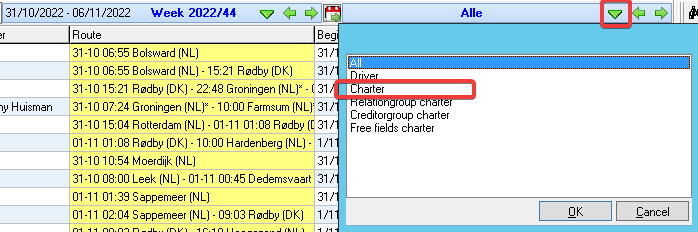
Just like in the Shipment processing 1 a selection can be made on day/week/period/month.
After that you can filter on for instance driver or subcontractor.
Missing CMR's
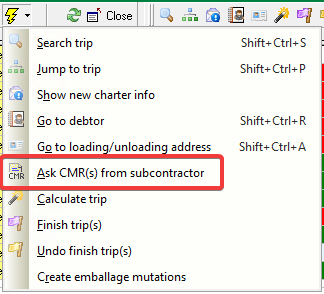
A handy action is the action Ask CMR(s) from subcontractor
This action uses report 217 - Missing CMRs from subcontractor and sends an overview of all missing CMR's to the creditor of the selected resource combination.
In Shipment processing 2 it is often easier to check trips than in the Planning, because the Planning shows all resourcecombination at once.
For an overview of orders per shipments, read more on shipment processing 1: